
Bug reports that developers can actually fix
When a user reports a bug, SnagRelay captures session replay, full API request & response bodies, console errors, and auto-generated reproduction steps - delivered to your Jira, Linear, or GitHub. Developers fix it on the first attempt. No follow-up questions.
14 days free · No credit card required



Shed Collective
We switched from UserSnap primarily to cut costs, but were also impressed with the quality of the reports and level of detail the platform provides our devs. We cut our ‘cannot reproduce’ rate by 80%
Michaela Drake
QA Engineer
Why most bug reports fail developers
"What browser were you on?"
The first message after every incomplete bug report. Followed by 3–5 more just like it. Every time.
30+ minutes per ticket
The average developer time spent gathering context - before they even start debugging.
1 in 5 bugs closed as 'cannot reproduce'
Not because they weren't real. Because the report didn't have what developers needed to find them.
"Can you send a screenshot?"
The request that starts the email chain. The email chain that becomes a Slack thread. The Slack thread that lasts a week.
SnagRelay ends this cycle. One click captures everything developers need - automatically
What does SnagRelay include in every bug report?
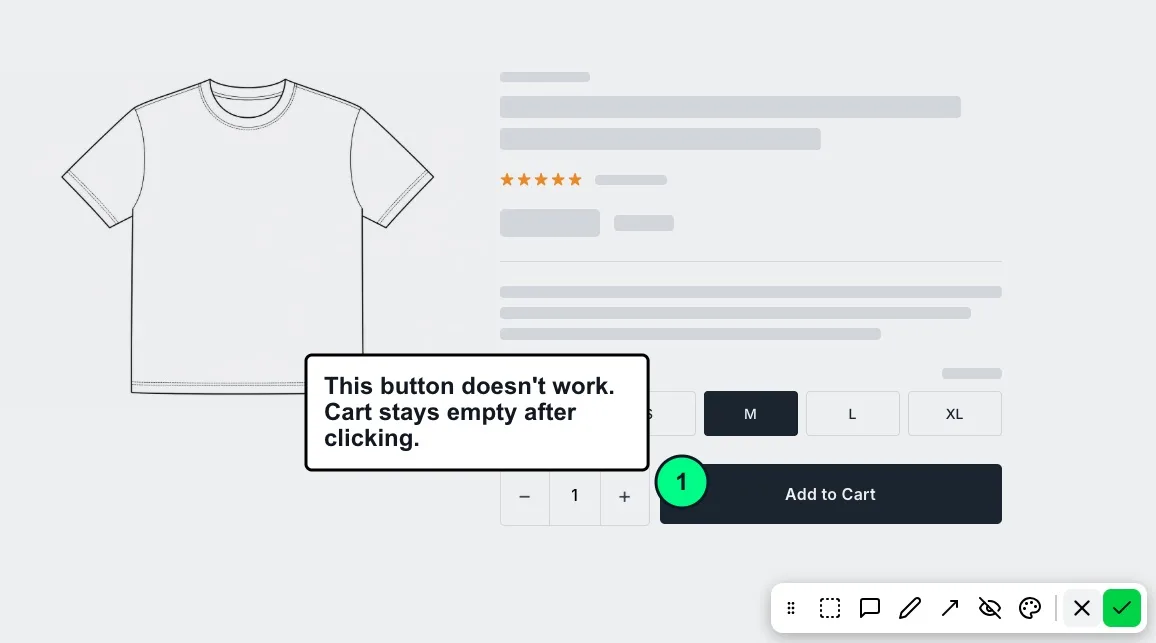
01 / SCREENSHOT ANNOTATION
Click. Describe. Send.
No DevTools Required
Your tester, client, or QA engineer clicks the widget, annotates the issue, and sends. SnagRelay captures everything in the background - screenshot, repro steps, console logs, and network data - automatically.
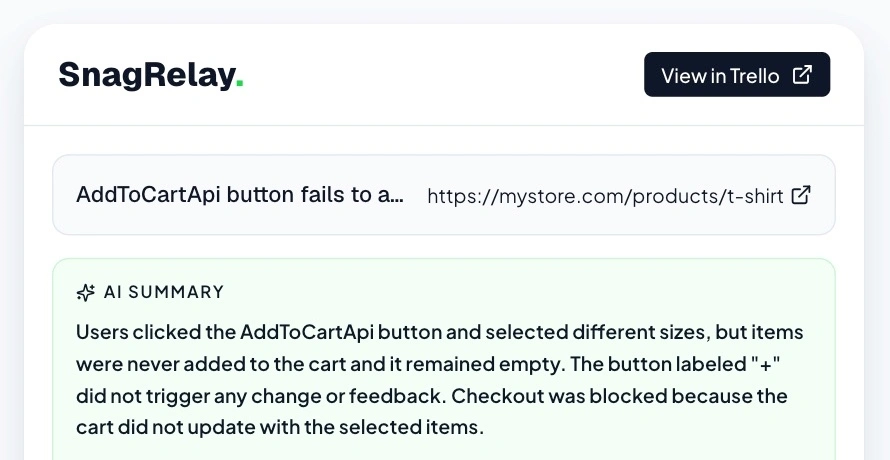
02 / AI BUG SUMMARY
The Diagnosis Is
Already Written
Open the ticket and the hard work is done. AI has generated a clear title, identified the root cause, pinpointed the affected component - before your developer reads the first line.
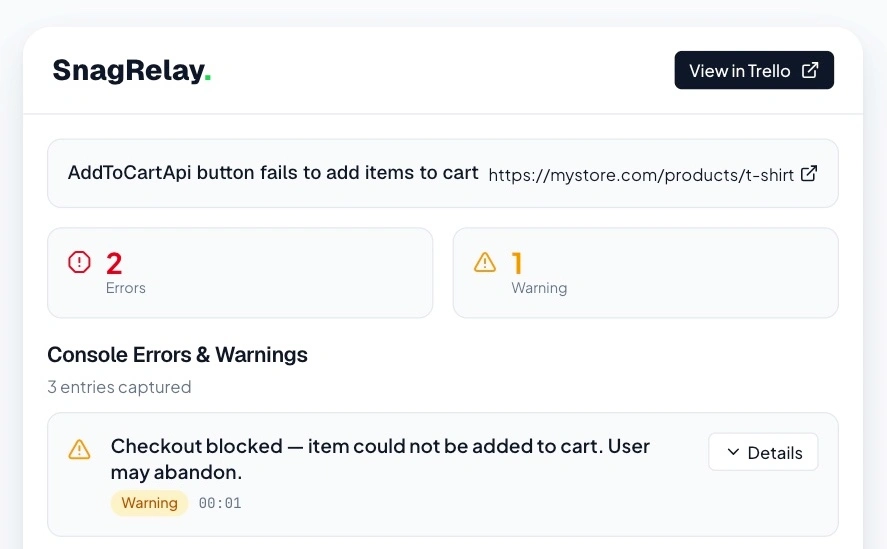
03 / FULL PAYLOADS
When Screenshots Fail.
Every Request. Every Response.
When the bug is a wrong API response, a screenshot is useless. SnagRelay automatically captures full HTTP request and response bodies, headers, and timing - so developers see exactly what data broke the page. No "can you check the network tab?"
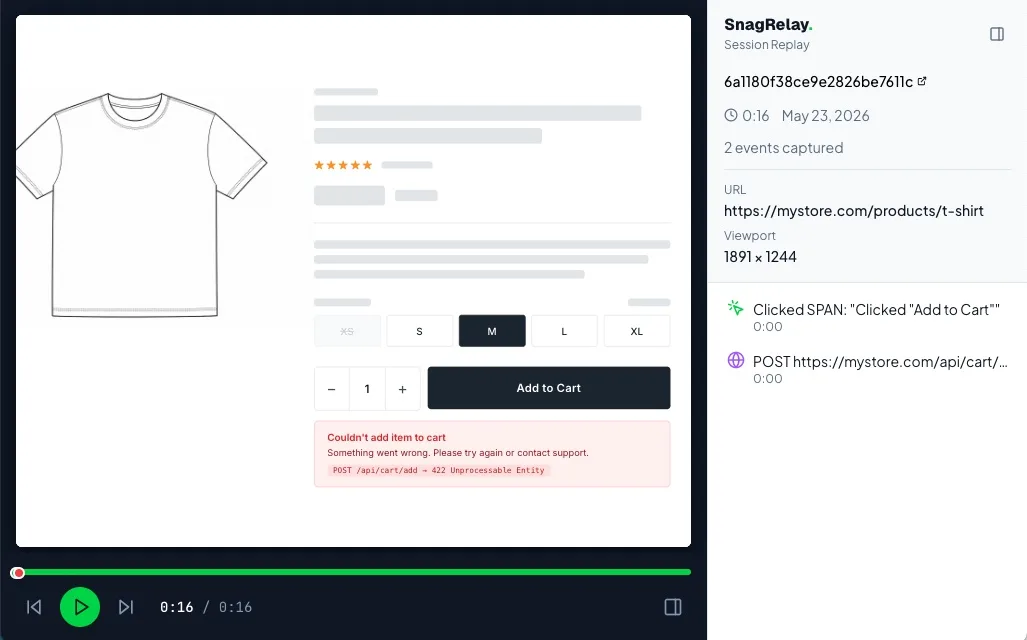
04 / SESSION REPLAY
Watch It Happen.
Mouse, Clicks & All
Session replay captures every scroll, click, and navigation automatically. Open the replay and watch exactly what the user did - no screen recording required from them.
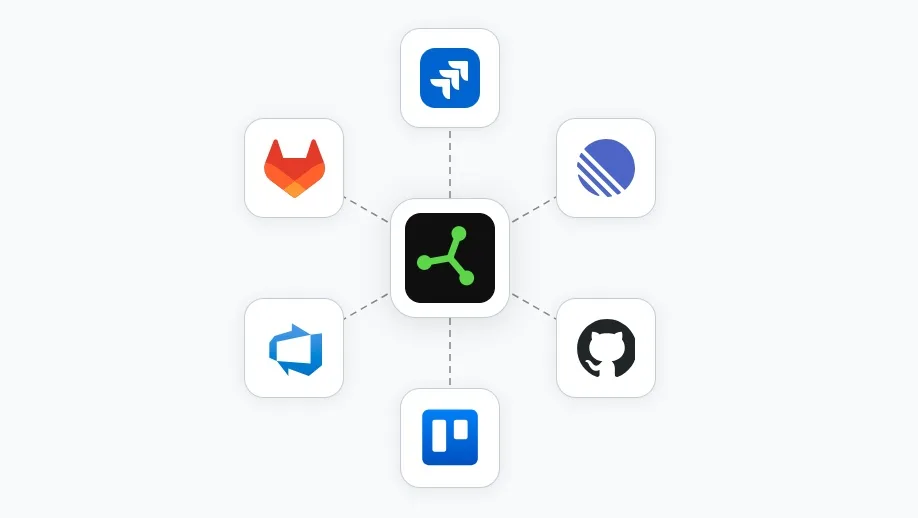
05 / TRACKER DELIVERY
Full Context.
Straight to Your Tracker.
Every technical detail - session replay, console logs, full API request and response bodies, repro steps - lands directly in Jira, Linear, GitHub, GitLab, Trello, or Azure DevOps. No separate dashboard. No copy-paste. A ticket that's ready to fix the moment it arrives.
How does SnagRelay work?
Connect your PM tool
OAuth with Jira, Linear, GitHub, Trello and more. Bug reports go directly to your team's existing workflow.
Add script tag
Drop it into your web or WordPress site. Loads async. Zero performance impact. 2-minute setup.
Click, annotate, send
Click the widget, annotate, and hit send. No account needed - clients, testers, and end users all work the same way.
Issue lands, ready to go
Screenshot, replay, repro steps, and context - already in your tracker. No copy-paste, no back-and-forth.
Who is SnagRelay built for?
QA & Test Engineers
File technically complete bug reports in one click. API data, error traces, and full context are captured automatically. Developers fix it on the first attempt - no "cannot reproduce," no follow-ups.
Product Managers
Cut bug resolution time by 70%. Every report your team files includes full technical context. Less back-and-forth. Faster sprints. Fewer escaped bugs reaching production.
Agencies & Client Teams
Embed a widget on your client's site. They click and describe - SnagRelay captures everything. Your developers get a complete report. No training required. No email chains.
SnagRelay customer testimonials
“The customisable widget fits perfectly with our brand, and the automatic sync keeps our entire team in the loop. SnagRelay is an essential tool for any development team.”
Yevhenii Holovkin
Product Manager, Prospex
“We switched from UserSnap primarily to cut costs, but were also impressed with the quality of the reports and level of detail the platform provides our devs. We cut our ‘cannot reproduce’ rate by 80%.”
Michaela Drake
QA Engineer
“Finally, a bug reporting tool that captures everything developers need! No more back-and-forth asking for screenshots or browser details. Genuinely the best bug reports I’ve ever received.”
Igor Yussupov
Developer, Neat
They lock it behind Team.
We include it
SnagRelay installs via a single JavaScript snippet - under 5 minutes from signup to first live report. The embeddable widget works on any web stack: React, Vue, Angular, Next.js, Laravel, WordPress, and plain HTML. For agencies: white-label the widget, share a reporter link with clients, and receive structured bug reports directly in your issue tracker. No separate bug board, no extra client accounts. The 17% of bugs marked "cannot reproduce" by developers are eliminated because every report includes the exact DOM state, API payloads, and error chain from the moment the user clicked.
Frequently asked questions about SnagRelay
Stop guessing.
Start fixing
Join QA teams, PMs & agencies · 14 days free, no card required